Kids Dragon Flying Cartoon: Fun Vector Art for Creatives
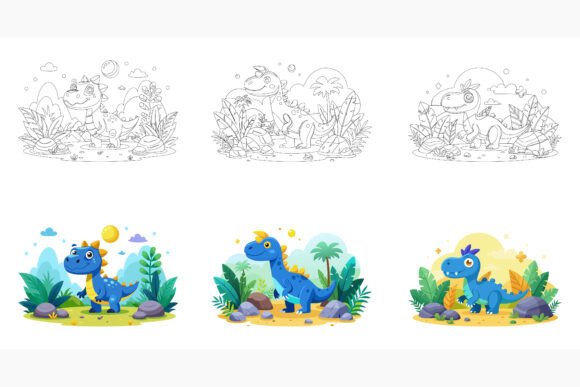
When you imagine a playful flying dragon in a children’s story, you likely picture something colorful, energetic, and full of personality. Transferring that spirit into digital or print projects demands a flexible illustration that stays crisp whether it’s on a billboard or a tiny app icon. The Kids Dragon Flying Cartoon vector set meets that need with three distinct dragon characters, delivered in formats that blend professional precision with everyday convenience.
This special AI EPS collection provides three variations of a flying dragon cartoon, each with its own pose and charm. You get the artwork in Adobe Illustrator (AI), Encapsulated PostScript (EPS), and high-resolution JPG. The AI and EPS files rest on neatly organized layers, while the JPGs offer a quick, ready-to-use alternative. Designed for both Mac and Windows users, the file structure avoids the frustration of broken links or missing elements when you open it on different systems.
Why Different People Value This Dragon Illustration
The same set of graphics can serve remarkably different goals. A parent who wants to decorate a birthday invitation cares about immediate, printable quality; a freelance designer creating a brand kit for a pediatric clinic needs full editability and cross-media versatility. Recognizing these differences helps you understand whether the collection aligns with your own workflow.
For beginners, the layer organization acts like a hands-on tutorial. Opening the AI file reveals how a professional composition is built—separate objects for the body, wings, clouds, and highlights. You can click on an eye icon to hide or show layers, instantly seeing how each part affects the whole. Changing the dragon’s body color takes seconds, and because it’s vector, you can experiment without permanently altering the original art. This safe learning environment bridges the gap between basic software skills and more confident editing.
Small business owners and entrepreneurs often face tight budgets and short deadlines. They might use one dragon variant as a mascot on a website header, another inside an email newsletter, and the third on a product label—all without hiring an illustrator. The JPG option lets a non-designer drop the art straight into Canva, PowerPoint, or social media templates, while the AI files give a hired designer room to customize every detail later. Consistency across these touchpoints builds trust with customers who recognize the friendly dragon wherever they encounter your brand.
Educators and content creators think about engagement. A worksheet on mythical creatures becomes instantly more inviting when a flying dragon grins next to the instructions. The varied poses let you craft a short narrative within a lesson slide: dragon taking off, mid-flight, and landing. Because the vectors scale without losing sharpness, you can project them on a classroom whiteboard or print them in a workbook without fear of blurry edges.
Crafters and hobbyists often overlook vector sets, but the included JPGs open many doors. You can upload a high-resolution image into Cricut Design Space to create iron-on decals for a child’s T-shirt, or print and cut stickers for party favors. The three variations give you a mini-collection to work with, so a set of themed gift tags or a mobile can feature coordinating but not identical dragons.
The Practical Advantage of an Organized Layer Structure
Time is the hidden cost of every creative resource. A chaotic file with unnamed layers or grouped objects that won’t ungroup smoothly can drain hours. This collection is built with a disciplined approach: layers are named intuitively—such as “dragon_body,” “right_wing,” “background_stars”—and objects are separated logically. If you need the dragon to hover over a custom landscape, you hide the original background and export only the character. This makes repurposing far faster and supports both static and animated projects, since you can even import the separated parts into motion software without rebuilding the asset.
How Three Variations Expand Your Storytelling
A single dragon illustration limits you to one mood. Three variations give you a narrative arc. The first might show the dragon in a gentle, descending pose, perfect for a “welcome” screen in a children’s app. The second could depict a mid-air glide, ideal for an adventure-themed ebook chapter header. The third might capture a playful loop, great for a loading spinner or a reward badge. Because the style remains consistent across all three, they work together in multi-page designs without visual clash. Children’s book authors can assign each pose to a different stage of the story, reinforcing the plot through imagery.
Performance Across Print, Web, and Apps
The technical specifications match real-world demands. For print, you can scale the AI or EPS files to any dimension without pixelation—perfect for a large poster, a banner, or a custom puzzle. The vectors remain sharp at 300 DPI and beyond. For web and app design, exporting from the vector source ensures crisp lines on retina displays and high-resolution screens. Infographic designers can use the dragons as engaging data points, maybe sizing one large and another small to compare something playful like “imagination levels” in a child development report. The JPG version, already high-resolution, slots into blogs, digital planners, or quick social posts without any conversion step.
Editing Freedom Without Locking You In
The promise of “easy editing” often comes with strings attached—hidden raster effects, uneditable text, or sloppy clipping masks. Here, the clean vector construction means you can change fill colors, stroke weights, and even the dragon’s expression using basic shape tools. Need a different horn shape? Duplicate the layer, tweak the vector points, and you have a custom variation. Want to place the dragon inside a circular badge for a logo? Group the elements and add a clipping mask without breaking the artwork. This non-destructive workflow protects your original file while encouraging experimentation. A marker, a blogger, or a teacher can all adapt the same starting file to wildly different ends without ever feeling limited by the artwork itself.
Identifying If This Collection Matches Your Goals
Before committing any asset to a project, ask a few questions. Are you working on something that will exist in multiple formats? If yes, the AI and EPS backbone pays dividends. Do you anticipate color changes to match seasonal themes or evolving brand guidelines? The vector source makes that trivial. Is speed a deciding factor? The JPG lets you go from download to finished piece in minutes. Do you value internal consistency across a product line or a series of lessons? Three coordinated variations let you create a visual system, not just a one-off image.
If you need photorealistic dragon art or a hyper-detailed fantasy illustration for a mature audience, this cartoon style may not fit. But if your work lives in the world of children’s media, education, family-focused marketing, or playful personal projects, the aesthetic hits a sweet spot. The art is polished and consistent, with gentle gradients, expressive eyes, and clean outlines that communicate care without feeling stiff.
A Resource That Grows with You
Trends in design come and go, but charming, well-executed characters have enduring appeal. A year from now, you might repurpose the same dragon with a new coat of pastel colors for a spring campaign. Five years from now, you could animate it for a short social video after your skills have grown. Because the files are editable and not locked behind proprietary formats, the collection remains useful far beyond the first project. Parents can integrate the art into memory books as children get older; businesses can refresh their packaging without starting from scratch. This kind of longevity reduces the need to constantly hunt for new assets, making your creative library more efficient and personal.
The Kids Dragon Flying Cartoon collection brings together the precision of vector format, the convenience of JPG, and the thoughtfulness of a clean layer structure into one practical set. Whether you’re designing a fantasy-themed birthday card, building a brand for kids’ yoga classes, or crafting an interactive storybook, the flexibility embedded in these files helps you spend more time creating and less time troubleshooting.